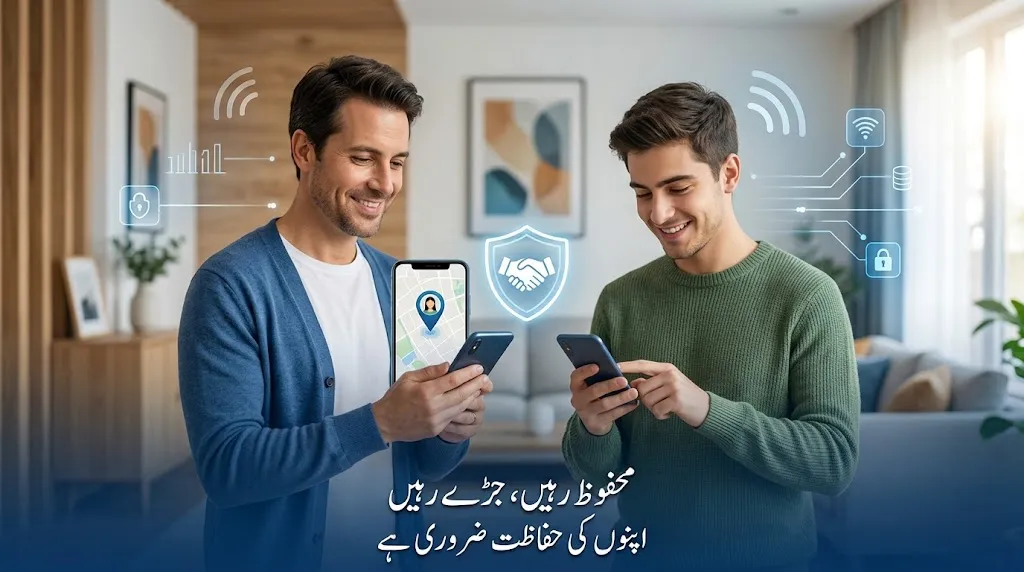
Knowing that your family members and close friends are safe can provide valuable peace of mind. This is especially true when someone is traveling, living in another city, working late, or following a busy daily routine.
Today, smartphones make it easier to stay connected without calling someone every few minutes. Families can use location sharing, regular check-ins, emergency contacts, and built-in safety features to know when help may be needed.
However, there is an important difference between staying connected and secretly monitoring someone. Any location sharing or safety arrangement should be based on consent, trust, and respect for privacy.
The purpose should be simple: helping people stay safe while giving everyone appropriate control over their personal information.
Why Staying Connected With Loved Ones Is Important
Unexpected situations can happen at any time. Someone may be delayed on their way home, have a vehicle problem, become lost while traveling, or need assistance during an emergency.
A simple communication routine can make these situations easier to handle.
Staying connected can help families:
- Know when someone has reached their destination.
- Respond more quickly when there is an emergency.
- Stay in touch with children and elderly relatives.
- Reduce unnecessary worry.
- Coordinate travel and family activities.
- Establish a reliable emergency communication plan.
Sometimes, a short message such as “I reached safely” is all a family member needs to feel reassured.
Safe Ways to Keep an Eye on Loved Ones
There are several practical ways to stay connected without crossing someone’s privacy boundaries.
| Safety Method | How It Helps | Privacy Consideration |
|---|---|---|
| Voluntary location sharing | Shows a person’s agreed location | Share only with trusted people |
| Regular check-ins | Confirms someone is safe | Agree on a suitable schedule |
| Emergency contacts | Makes it easier to get help | Keep contact details updated |
| Family safety features | Helps families coordinate | Explain what information is shared |
| Emergency information | Provides useful details during emergencies | Store sensitive information carefully |
1. Use Voluntary Location Sharing
Many smartphones and communication services provide location-sharing options. A person can choose specific contacts and decide when to share their location.
This can be useful when someone is traveling, meeting friends at an unfamiliar place, or returning home late.
For example, family members might agree to share their locations while traveling at night and stop sharing after everyone reaches their destination.
The most important rule is consent. Location sharing should be visible and understood by the person sharing it. Secret tracking or attempts to access another person’s device without permission are not appropriate ways to protect someone.
2. Create a Regular Check-In Routine
Constantly checking someone’s location is not always necessary. In many situations, a simple check-in routine can provide enough reassurance.
A family could agree that:
- A child sends a message after reaching school.
- A traveler contacts family after reaching the hotel.
- An elderly parent checks in at an agreed time each day.
- Friends send a quick message when they arrive home after a late outing.
The routine should be realistic. If it becomes difficult to follow, the family can adjust it rather than turning safety into a source of stress.
3. Set Up Emergency Contacts
Smartphones include emergency and safety features that can help people contact emergency services or trusted contacts when something goes wrong.
Families should consider setting up important information in advance, including:
- Emergency contacts
- Appropriate medical information
- Emergency calling features
- Device security
- Trusted family members or friends
It is also useful for family members to understand how these features work before an emergency occurs.
How Parents Can Monitor Children Responsibly
Parents naturally want to know whether their children are safe. Depending on a child’s age and circumstances, family safety and parental-control features can help parents manage location sharing, screen time, applications, and other safety settings.
However, parents should avoid turning safety tools into secret surveillance.
Children and teenagers should understand, in an age-appropriate way, what information is being shared and why it is necessary. Open communication can help build trust and make safety arrangements more effective.
For older teenagers, discussing privacy expectations can be particularly important. Families can agree on when location sharing is useful and when it is not necessary.
The goal should be safety with reasonable boundaries, rather than watching every movement.
How to Stay Connected With Elderly Family Members
Older parents and relatives may sometimes need additional support, particularly if they live alone or travel independently.
A simple family safety plan can include:
- A daily or regular check-in time.
- Emergency contact information.
- Important medical information where appropriate.
- A clear emergency plan.
- Voluntary location sharing during travel.
- A trusted family member who can respond when assistance is needed.
Technology can make communication easier, but it should not completely replace personal contact. A regular phone call or visit can be just as valuable as a digital safety feature.
Avoid Secret Tracking and Spy Applications
If you are worried about someone’s safety, secretly installing monitoring software on their phone may seem like an easy solution. However, covert monitoring can create serious privacy and trust issues and may also conflict with applicable laws or service rules.
A safer approach is to use transparent family-safety features and consensual location sharing.
If someone may be in immediate danger and cannot be reached, consider contacting an appropriate emergency service or a person who is physically close to them instead of attempting unauthorized access to their device.
Protect Your Family’s Location and Personal Information
Location data can be sensitive. Even when a family uses location sharing for legitimate safety reasons, it is important to limit access to people who genuinely need it.
Good privacy habits include:
- Use strong passwords and secure device locks.
- Enable two-factor authentication when available.
- Review application permissions regularly.
- Share your location only with trusted people.
- Remove old location-sharing permissions.
- Keep phones and applications updated.
- Check which accounts and devices have access to family information.
It is also worth reviewing these settings occasionally because applications and phone operating systems can change their privacy options over time.
Click here to download for Android
Click here to download for iOS Apple
A Simple Family Safety Plan
Families do not need complicated technology to create a useful safety system.
A basic plan could look like this:
| Situation | Suggested Family Arrangement |
|---|---|
| Child reaches school | Send a quick arrival message |
| Family member travels | Share location voluntarily during the journey |
| Late-night return | Confirm arrival at home |
| Elderly relative lives alone | Agree on a regular check-in |
| Emergency | Keep trusted contacts and emergency information ready |
| Lost or delayed family member | Call first and follow the agreed emergency plan |
The exact arrangement should depend on the family’s circumstances. What works for a family with young children may not be suitable for adults living independently.
What Should You Do If Someone Stops Responding?
A missed message does not automatically mean that something is wrong. The person may be driving, working, sleeping, have a dead battery, or simply be unavailable.
If there is a genuine reason to be concerned, start with simple steps:
- Call or message the person.
- Contact someone who may be with them.
- Check the last agreed location or travel plan if location sharing was voluntarily enabled.
- Consider whether there are known circumstances that could explain the delay.
- If there appears to be an immediate danger, contact the appropriate emergency service.
Avoid attempting to break into someone’s account or device to obtain information.
Final Thoughts
Keeping an eye on loved ones should be about care, communication, and safety—not secret surveillance.
Voluntary location sharing, regular check-ins, emergency contacts, and built-in family safety features can help people stay connected while respecting personal privacy.
The best family safety arrangement is one that everyone understands. Before using location-sharing or monitoring features, discuss what will be shared, who can access it, and when the information should be available.
Technology can provide useful support, but trust and communication remain at the heart of keeping loved ones safe.